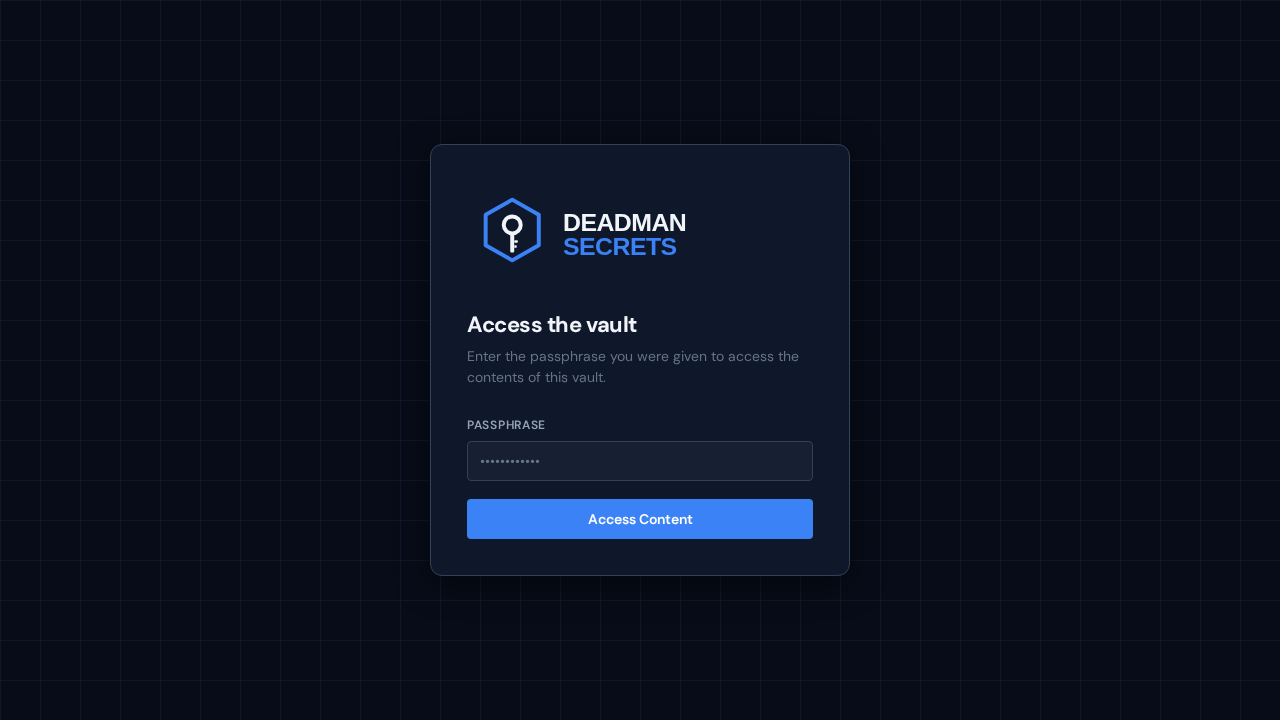
When your dead-man switch fires, each beneficiary is emailed a secure link to a passphrase prompt. This is the first thing they see — no account, no sign-up, just the prompt for the passphrase you gave them.
Once they enter the passphrase, everything decrypts on their device. They see your playbook exactly as you wrote it — the orientation note, your step-by-step instructions, and an "Items you'll need" section with only the items you assigned to them.
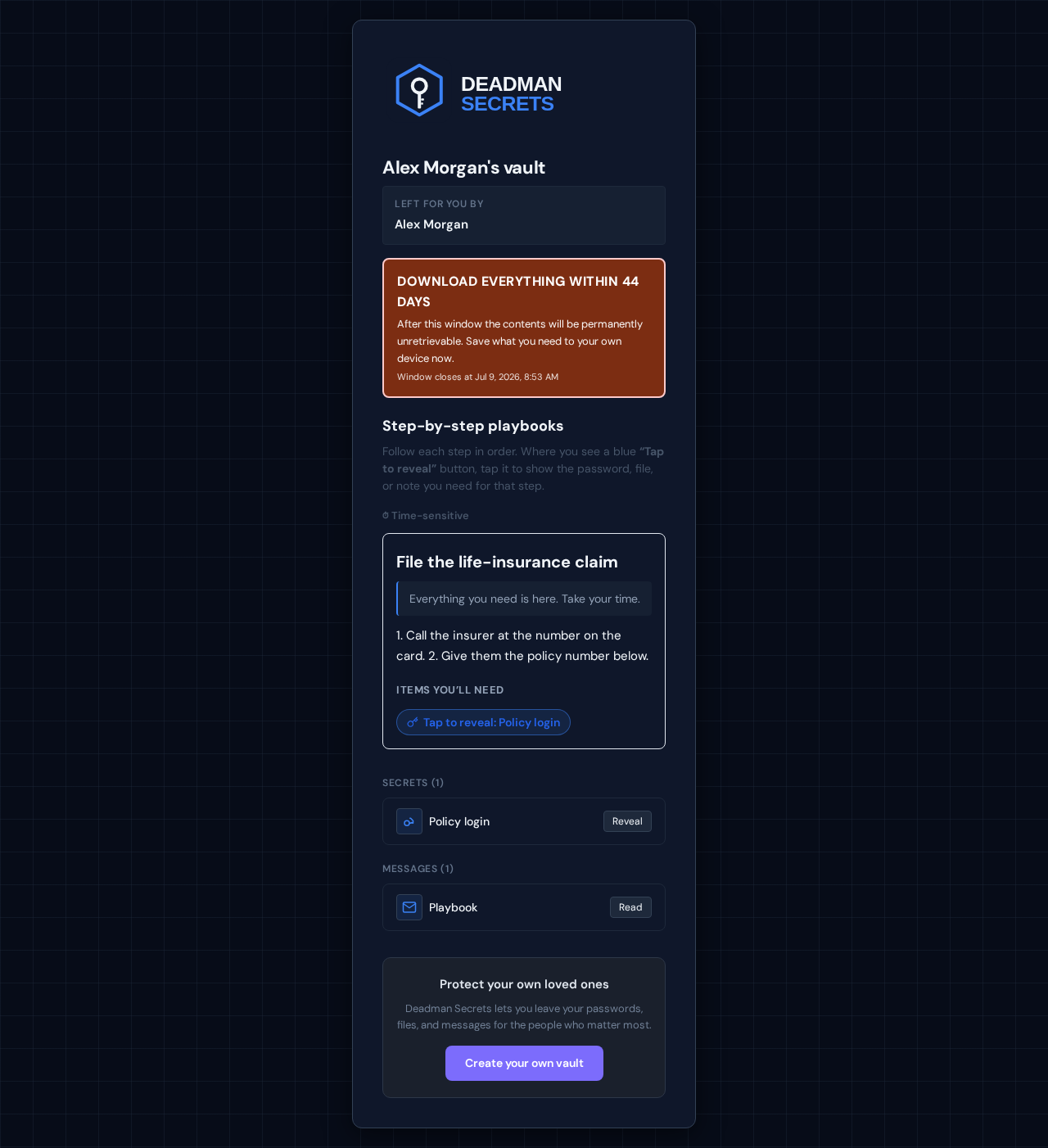
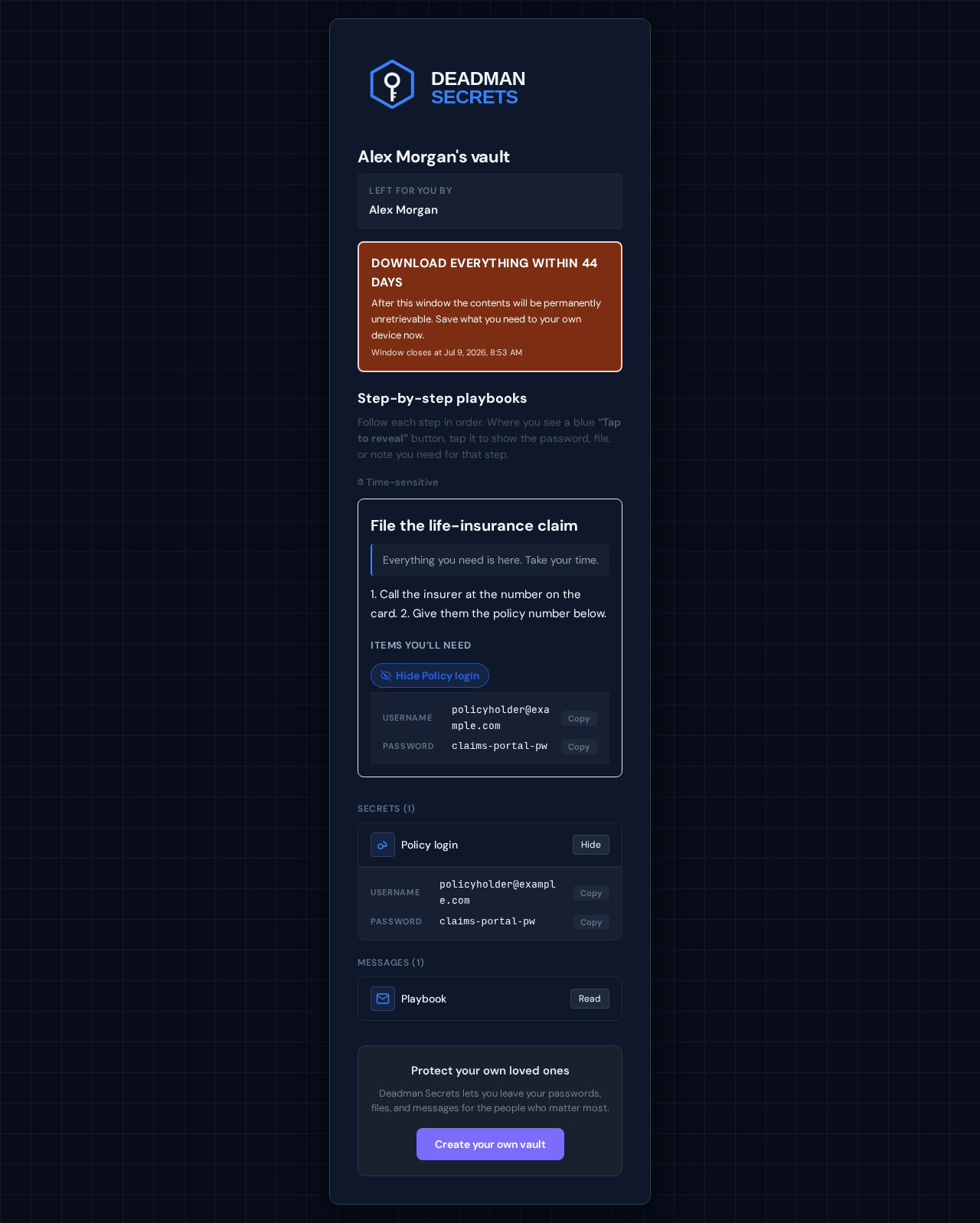
Each item is a tap-to-reveal control, so sensitive values stay hidden until they're needed. Files download, messages open, secrets reveal — all decrypted locally, never on our servers. That's the whole experience: the right person, the right instructions, the right secrets, exactly when it matters.
Ready to set up your own?
Everything in this guide takes a few minutes in Deadman Secrets. Your secrets are encrypted on your device and delivered only when your switch fires.
Start for Free