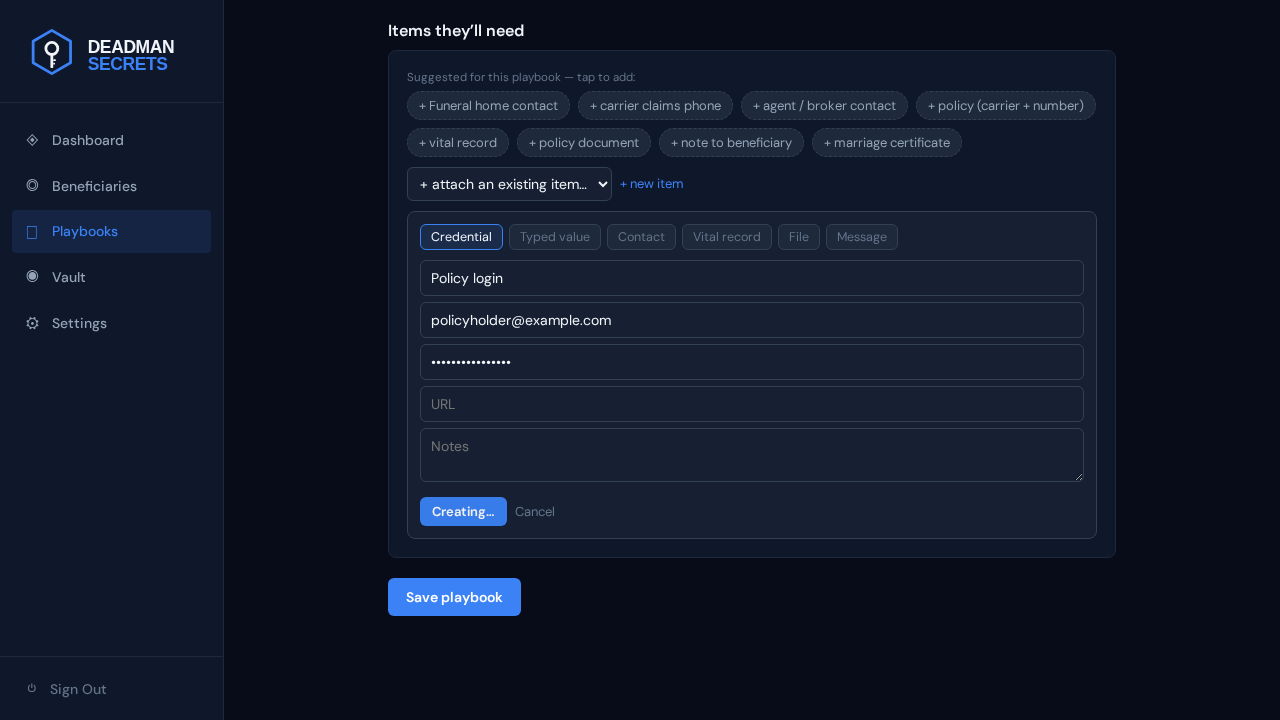
Starting a playbook from a template gives you a title, a suggested urgency, and a set of suggestion chips for the items this kind of playbook usually needs. You can change any of it.
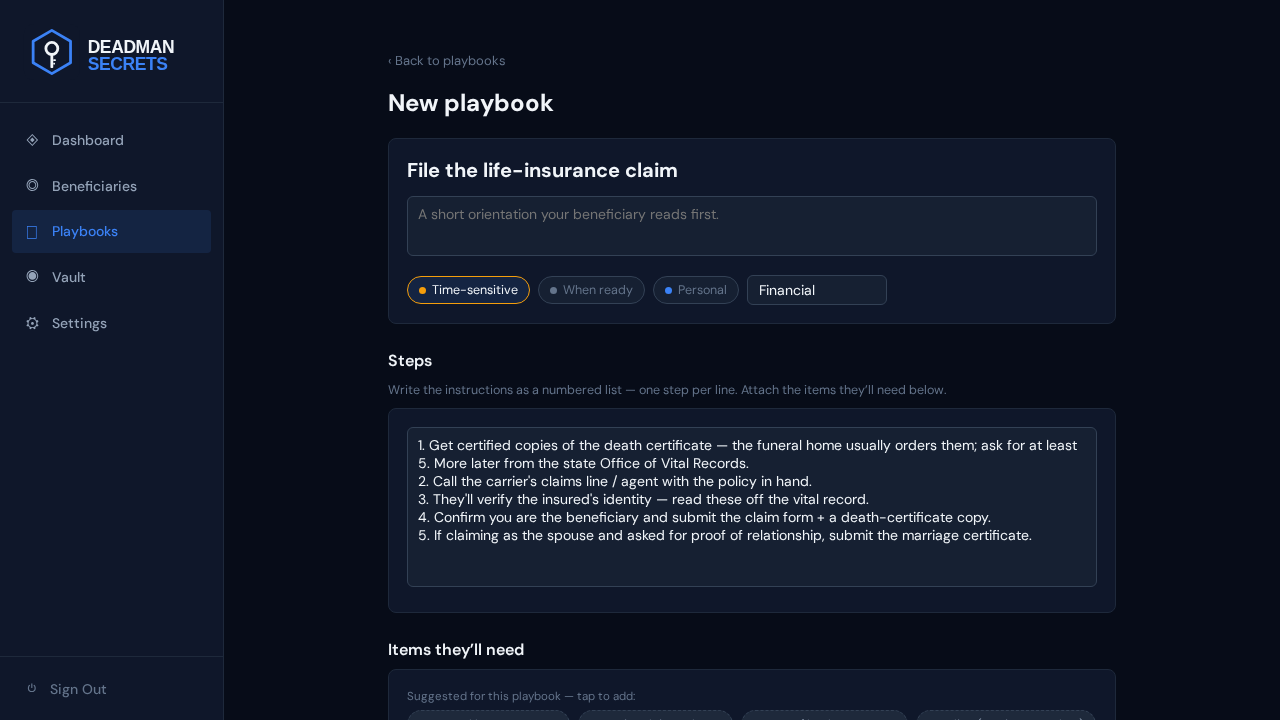
Give the playbook a clear title and a short orientation note your beneficiary reads first. Then pick an urgency so they know how soon this matters.
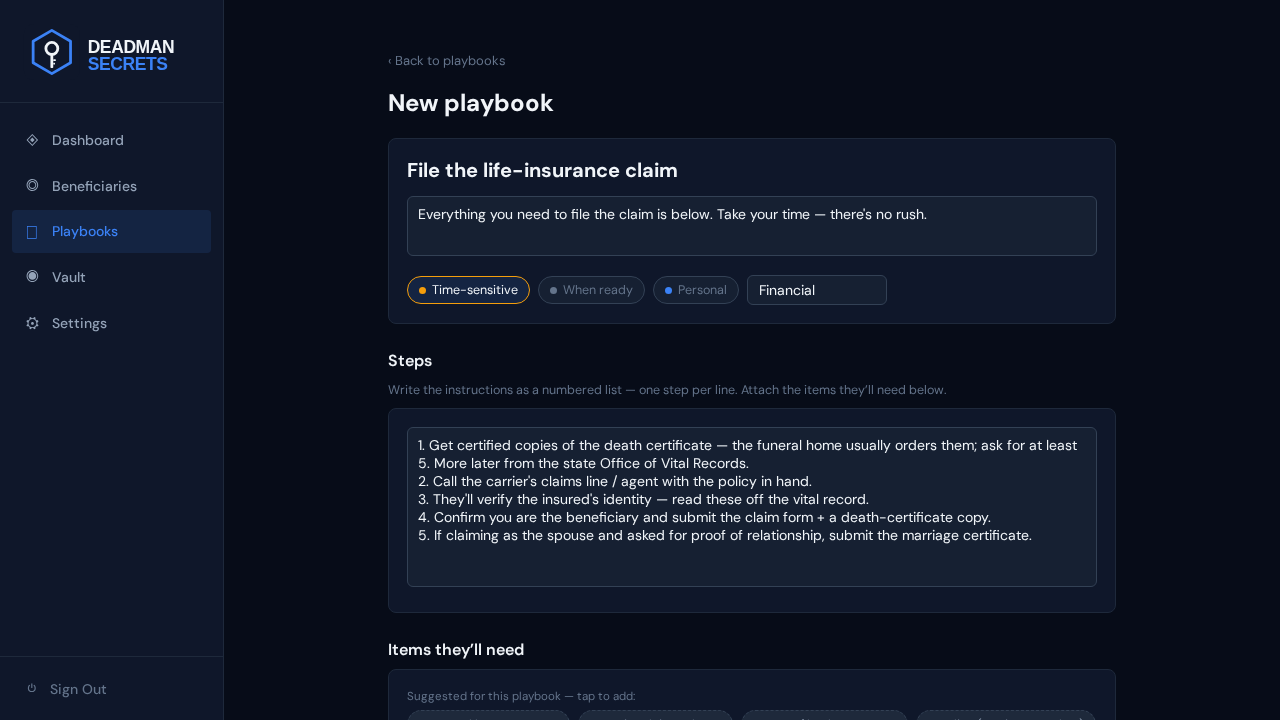
Write the instructions as a simple numbered list. Reference an item inline and it shows up in the beneficiary's "Items you'll need" section automatically.
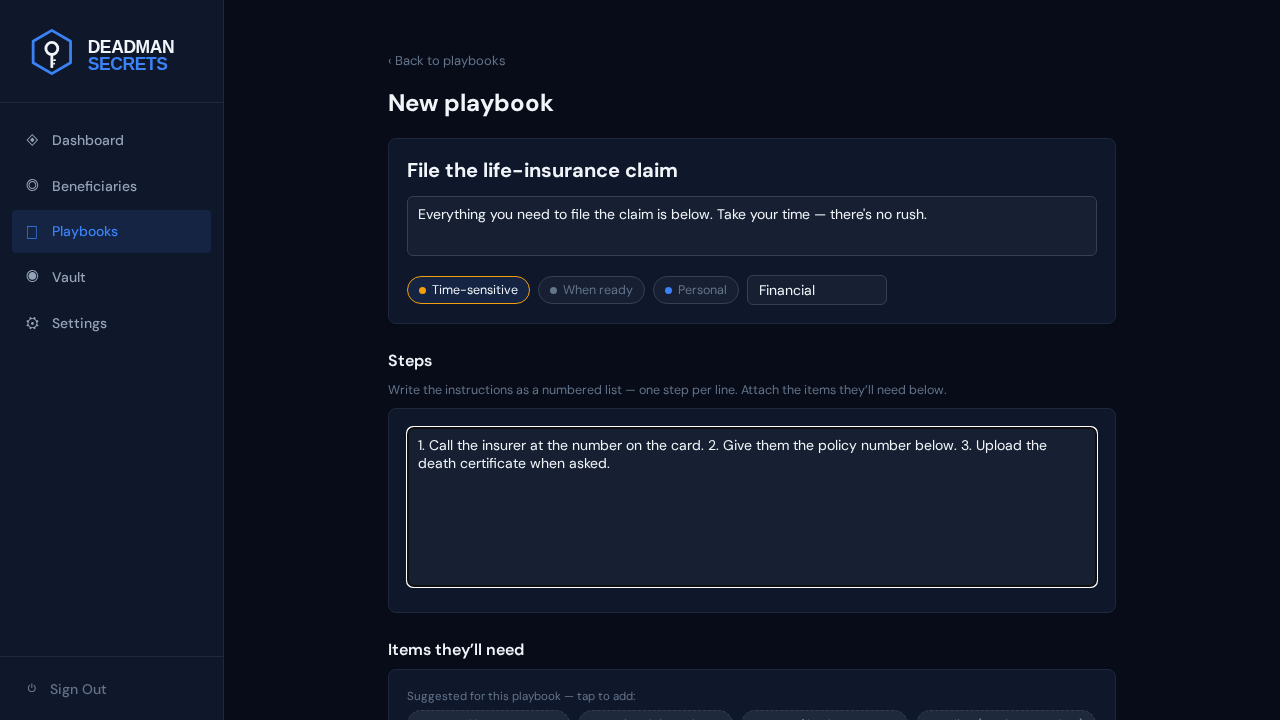
Need to add something that isn't in your vault yet? Click "+ new item" and create it right here. It's encrypted on your device and attached to the playbook in one step — no need to break your train of thought.
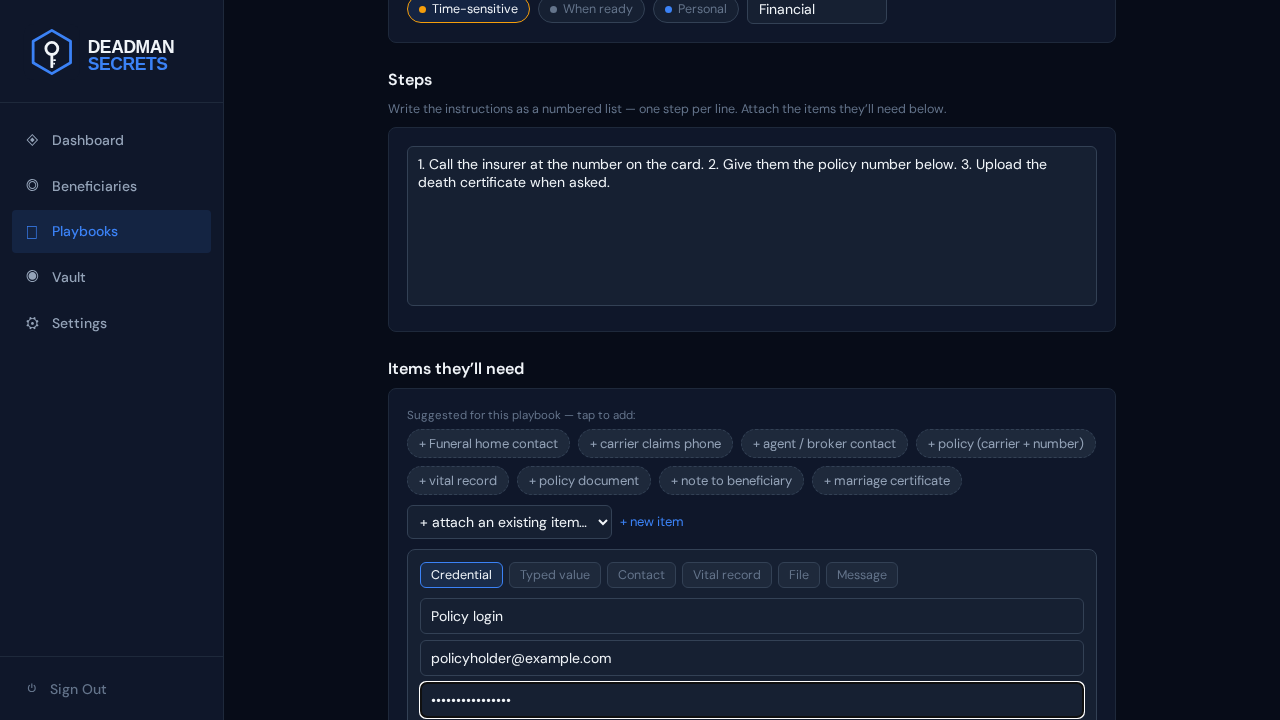
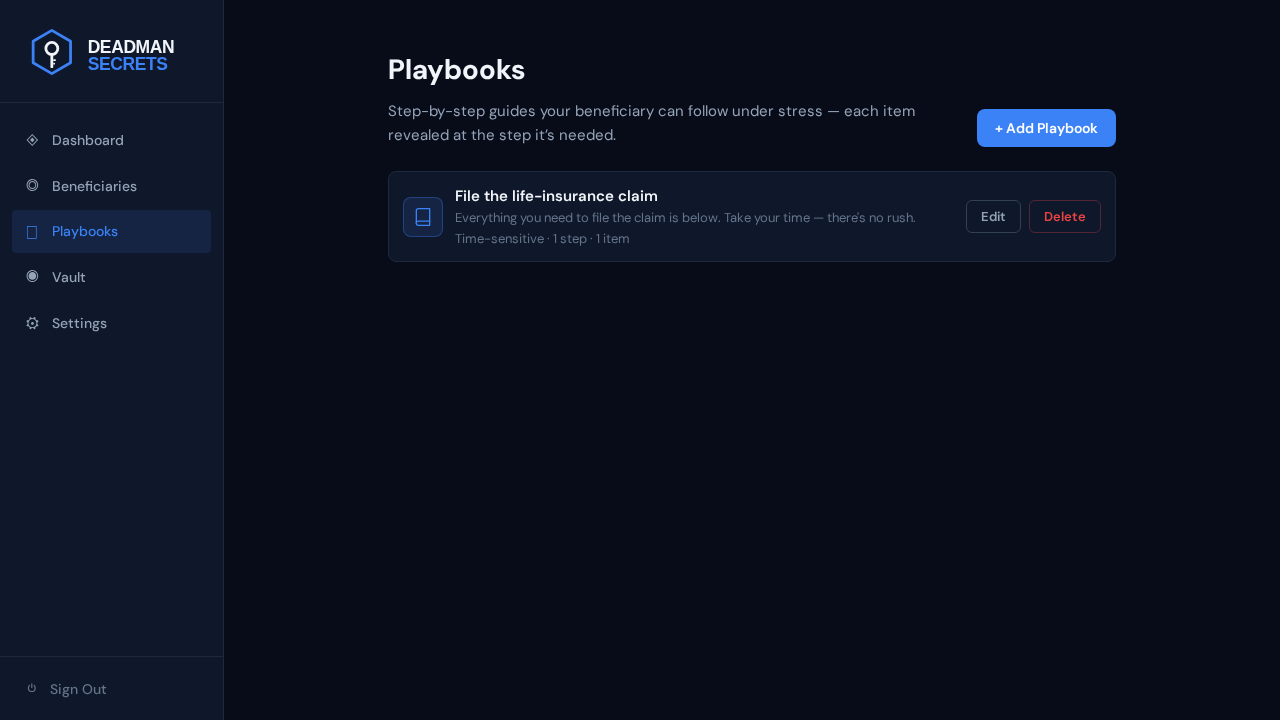
The item is now attached. Save the playbook and it's ready to assign to a beneficiary, who will see your instructions and this item the moment your switch fires.
Ready to set up your own?
Everything in this guide takes a few minutes in Deadman Secrets. Your secrets are encrypted on your device and delivered only when your switch fires.
Start for Free